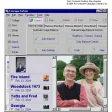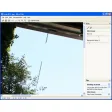
ACA Screen Recorder

ACA Screen Recorder
License:
Trial version
Language:
English
Developer:
OS:
Win2000/XP/2003/Vista
Added:
See detailed info

Softonic review

Nick Mead

“Save any screen activity on your desktop”

by Nick Mead about ACA Screen Recorder

Capturing screen activity is something that can be useful for building tutorials to explaining what the problem is on your PC to an expert.

The problem is that it's not always as straightforward as it should be with software complicating the situation rather than easing it. ACA Screen Recorder captures the action from your Windows screen and saves it as a standard, easily edited, AVI (Audio-Video Interleaved) movie file. The developers say that this makes their format much easier to edit and share than other similar program although in truth, AVI is a standard format that most other screen capture tools offer. In addition, this program offers the advantage that it can record sound from your microphone so you can add voice narratives or descriptions. To speed things up, the program allows the configuration of hot keys which you can use to start, stop and pause recordings. One useful time saving feature is the ability to automatically rename multiple screen grabs so if you are making several different videos, it renames them one by one sequentially with nothing extra required on your part.

With audio compressor choices and ability to configure video compressors, this is a highly useful and comprehensive screen capture tool.

Pros
  • Easy to use and professional feel
  • Packed with time saving features
Cons
  • Doesn't save to formats other than AVI
Download ACA Screen Recorder 3.30

ACA Screen Recorder is virus free

We have analyzed the latest version of ACA Screen Recorder with 30 antivirus engines and it is virus free. See analysis results.

TESTED VIRUS FREE - Softonic GUARANTEED

Developer's description

ACA Screen Recorder is a screen recording software, it captures the actions from your Windows screen and saves it as a standard, easily edited, AVI (Audio-Video Interleaved) movie file.

This format can be played under Windows, as well as the Internet, unlike other programs that use proprietary formats that may need special viewers and be difficult, if not impossible, to edit.

Review and rate ACA Screen Recorder

Your avatar

Your opinion is important.
Help other users - be the first to review this program.

Review
  1. Maximum: 75 characters

  2. See example

Pros and Cons
Rate
  1. What rating would you give ACA Screen Recorder?

    You need to fill in all fields

    • Usability:

      Not rated
    • Stability:

      Not rated
    • Installation:

      Not rated
    • Functionality:

      Not rated
    • Appearance:

      Not rated
    • Overall rating:

      Not rated
  2. Don't worry, we won't make your email address public.

You're not allowed to share serial numbers, cracks, etc. or link to pages that contain them. If you do, your user account will be deleted, your IP address logged and legal action will be taken.

Get started - just ask a question!

Write a title for your question.

Alternativesto ACA Screen Recorder

  • In English:
    Windows Movie Maker
    Windows Movie Maker

    The easiest way to create photo presentations

    Softonic rating:
    • 8/10
    User rating:
    • 7/10
  • Free:
    Digital Clip Factory
    Digital Clip Factory

    Easily create video presentations with photos and music

    Softonic rating:
    • 8/10
    User rating:
    • 7/10
Compare with ACA Screen Recorder
Download rank: Presentation software

90 of 112

Softonic rating:
  • Good
  • 7/10
Your rating:
Your rating
  • 0

Review and rate this program

Top Downloads: Presentation software

  • United States
  • Global

  1. The easiest way to create photo presentations

Reviews of ACA Screen Recorder in other languages